Survey
- URL: https://community.funneloftheweek.com/c/prayersong/sections/852240/lessons/3238509
- Section: Sales Flow (Lesson 5 of 16)
- Screenshots (downloaded at full 1080px resolution from source, not viewport screenshots):
Full text (community post commentary, verbatim)
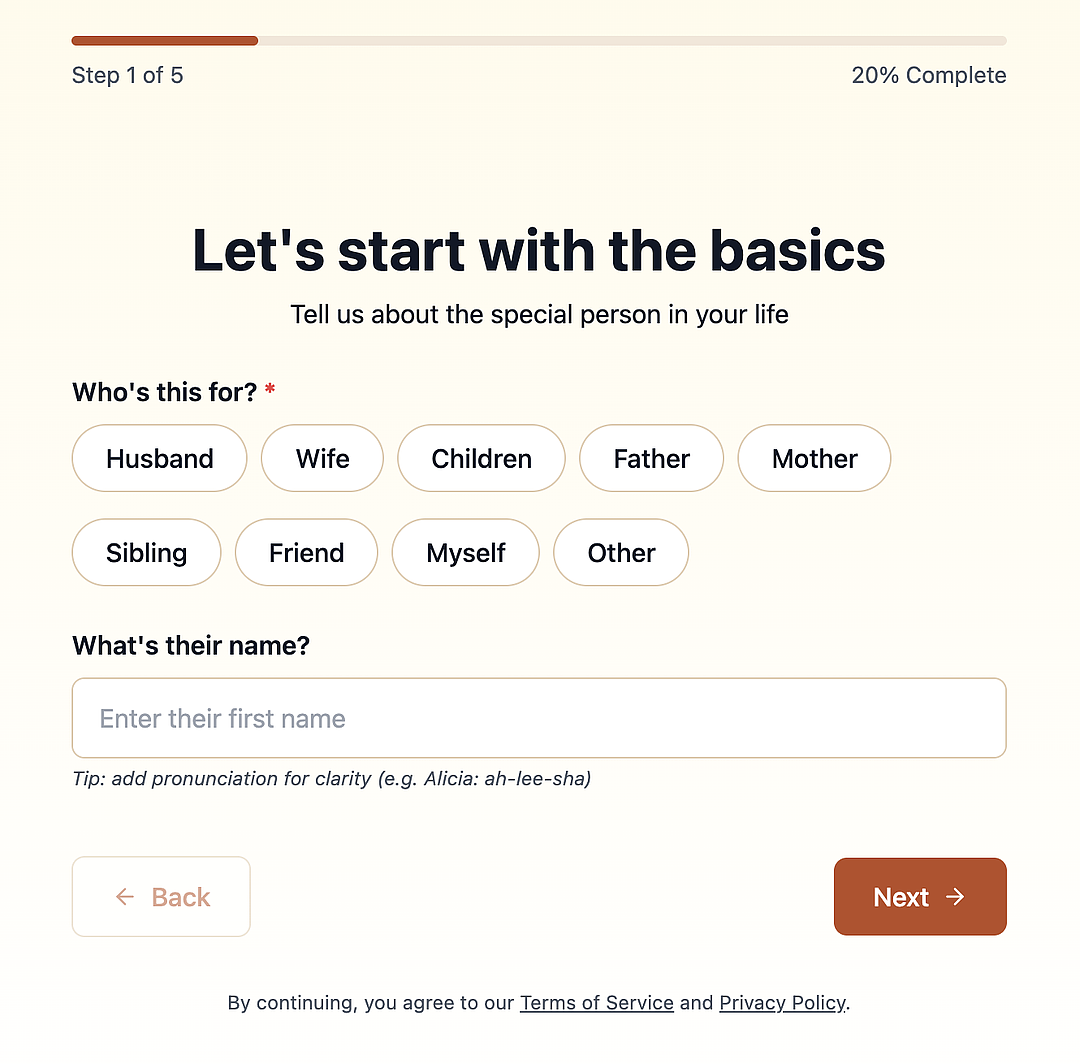
When you click on the "Create Your Song" CTA on the main landing pages, you're taken to a quick survey that helps PrayerSong to create your song.
Survey step-by-step content (transcribed from screenshots)
Step 1 of 5 — 20% Complete — "Let's start with the basics"
- Subhead: "Tell us about the special person in your life"
- Field: "Who's this for? *" — pill options: Husband, Wife, Children, Father, Mother, Sibling, Friend, Myself, Other
- Field: "What's their name?" — text input placeholder "Enter their first name"
- Helper text: "Tip: add pronunciation for clarity (e.g. Alicia: ah-lee-sha)"
- Buttons: "← Back" (disabled/greyed on step 1) / "Next →"
- Footer: "By continuing, you agree to our Terms of Service and Privacy Policy." (both linked, styled as underlined text)
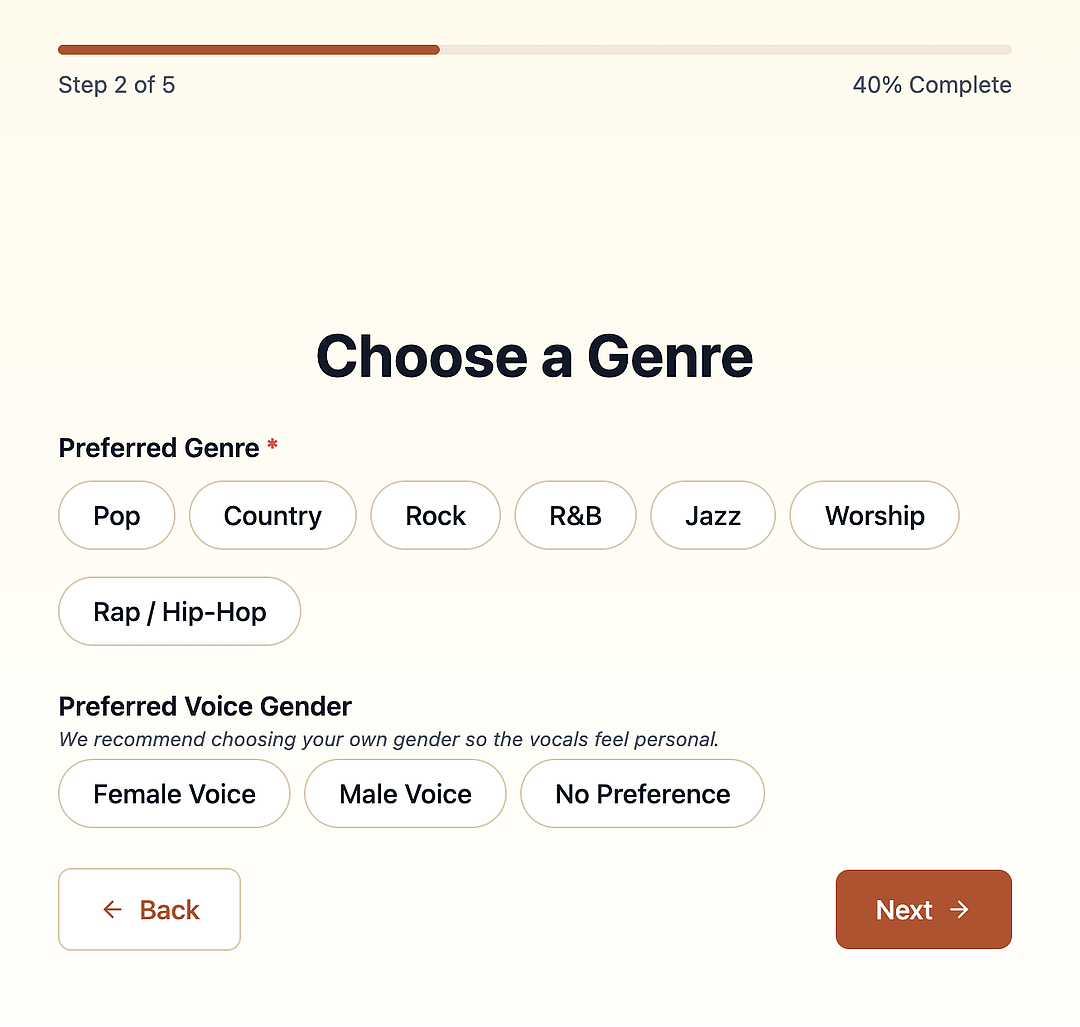
Step 2 of 5 — 40% Complete — "Choose a Genre"
- Field: "Preferred Genre *" — pill options: Pop, Country, Rock, R&B, Jazz, Worship, Rap / Hip-Hop
- Field: "Preferred Voice Gender" — helper text: "We recommend choosing your own gender so the vocals feel personal." — pill options: Female Voice, Male Voice, No Preference
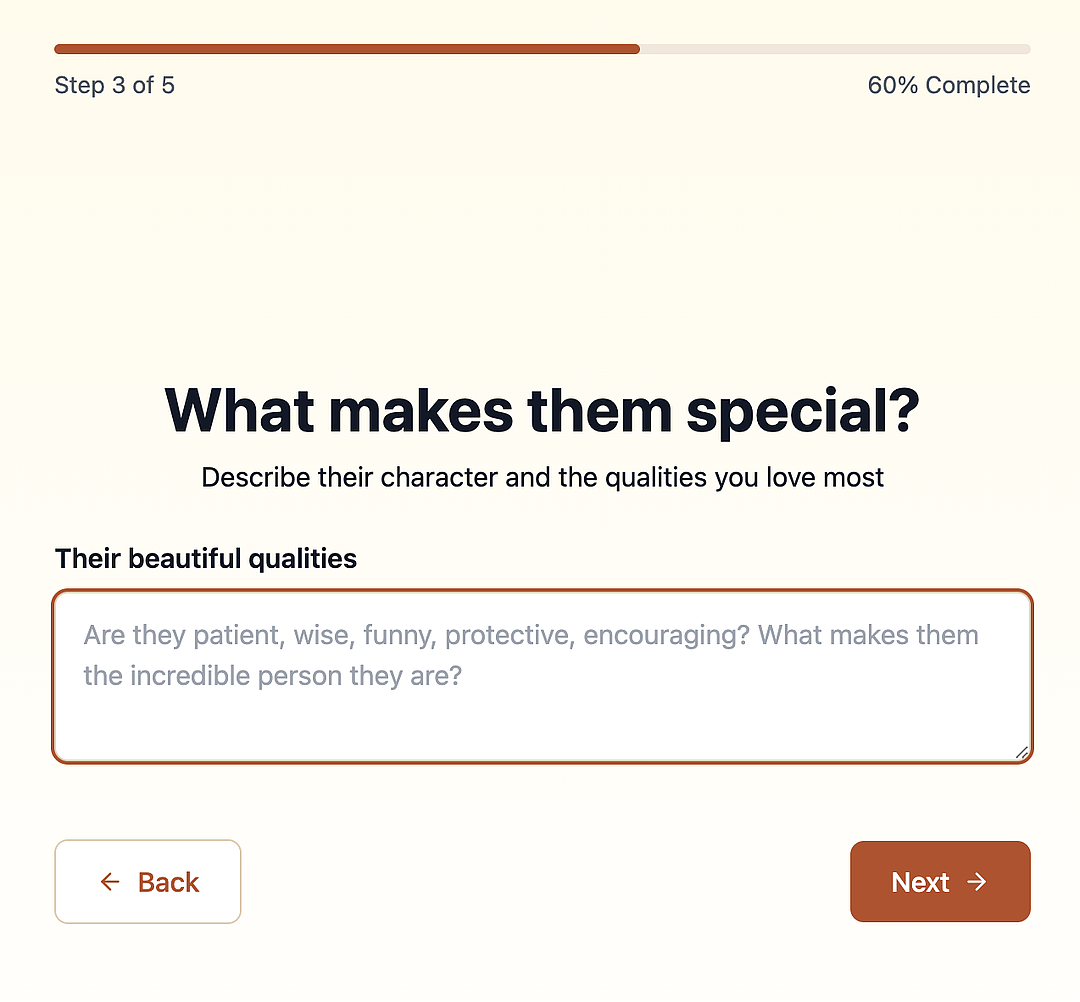
Step 3 of 5 — 60% Complete — "What makes them special?"
- Subhead: "Describe their character and the qualities you love most"
- Field label: "Their beautiful qualities"
- Textarea placeholder: "Are they patient, wise, funny, protective, encouraging? What makes them the incredible person they are?"
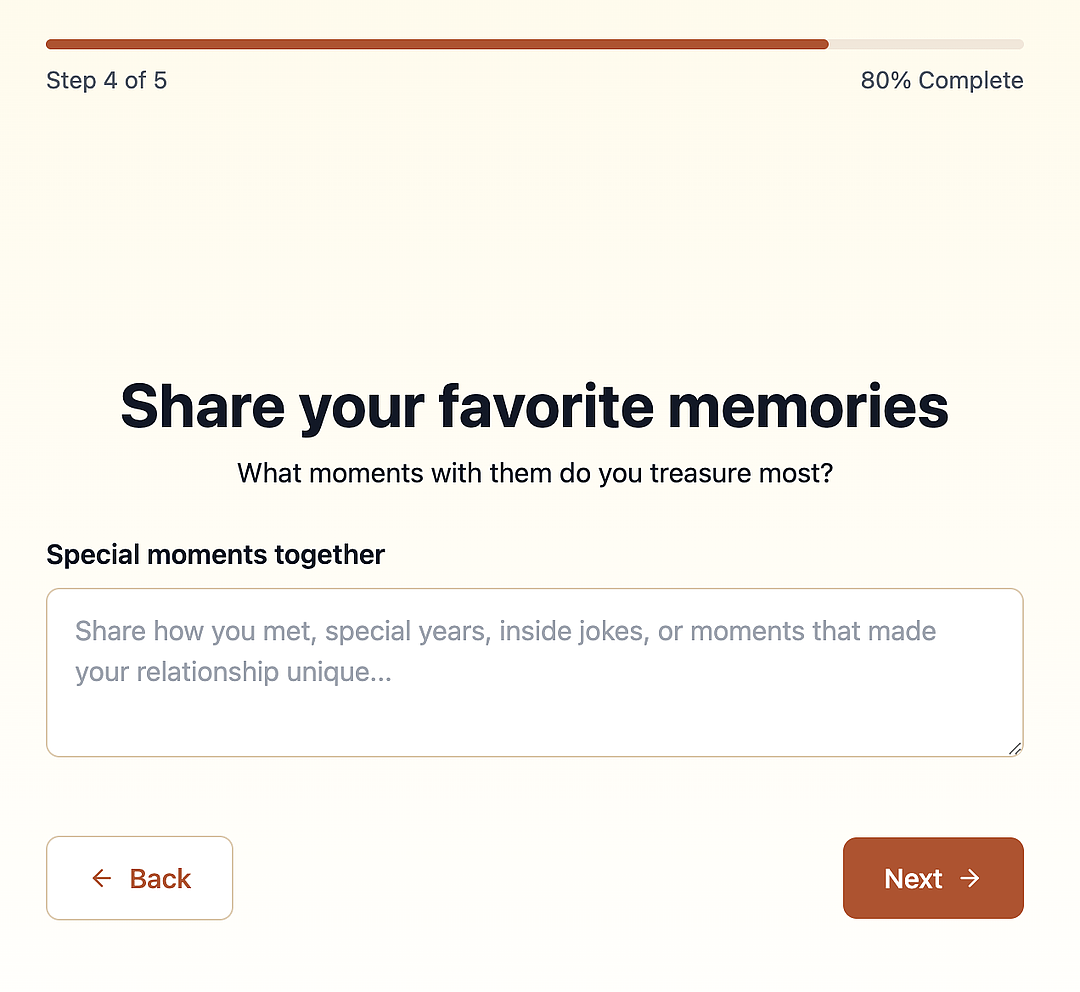
Step 4 of 5 — 80% Complete — "Share your favorite memories"
- Subhead: "What moments with them do you treasure most?"
- Field label: "Special moments together"
- Textarea placeholder: "Share how you met, special years, inside jokes, or moments that made your relationship unique…"
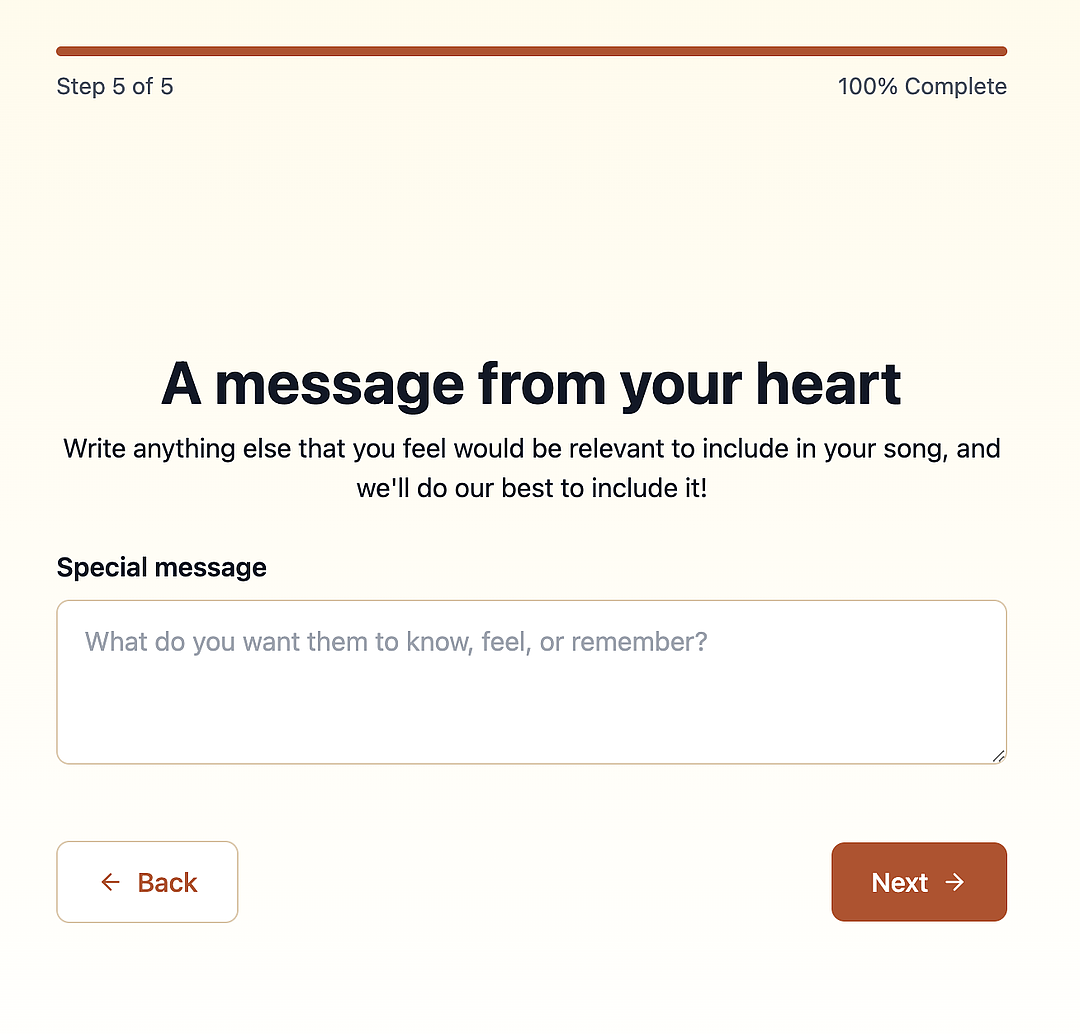
Step 5 of 5 — 100% Complete — "A message from your heart"
- Subhead: "Write anything else that you feel would be relevant to include in your song, and we'll do our best to include it!"
- Field label: "Special message"
- Textarea placeholder: "What do you want them to know, feel, or remember?"
All 5 steps share: progress bar (visual %), "← Back" / "Next →" buttons, cream/off-white background, rust-orange accent color matching the landing page CTA color.
Outbound links
None on this lesson page besides the Terms of Service / Privacy Policy links embedded inside the live survey screenshot (not extractable as hrefs from a static image; would need the live site to get exact URLs).
Key numbers cited
- 5-step survey (Step 1 of 5 → Step 5 of 5, mapped to 20% / 40% / 60% / 80% / 100% complete).
- Survey directly feeds song-generation inputs: recipient relationship, name, genre (7 options), voice gender (3 options), personality/qualities (free text), shared memories (free text), custom message (free text) — this is the full personalization-data capture funnel step for their AI song generator.